WeighDock
Bring the old USB scale in your drawer back to life.
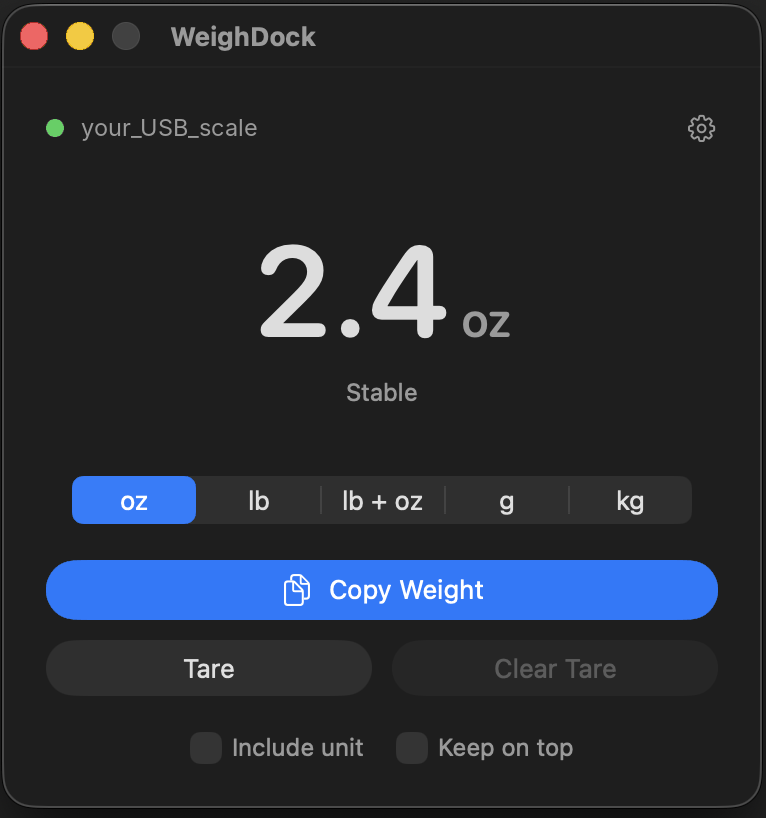
WeighDock reads your USB postal scale live on your Mac and puts the weight on your clipboard, ready to paste into any shipping site, marketplace listing, or spreadsheet.
 Download on the Mac App Store
Features
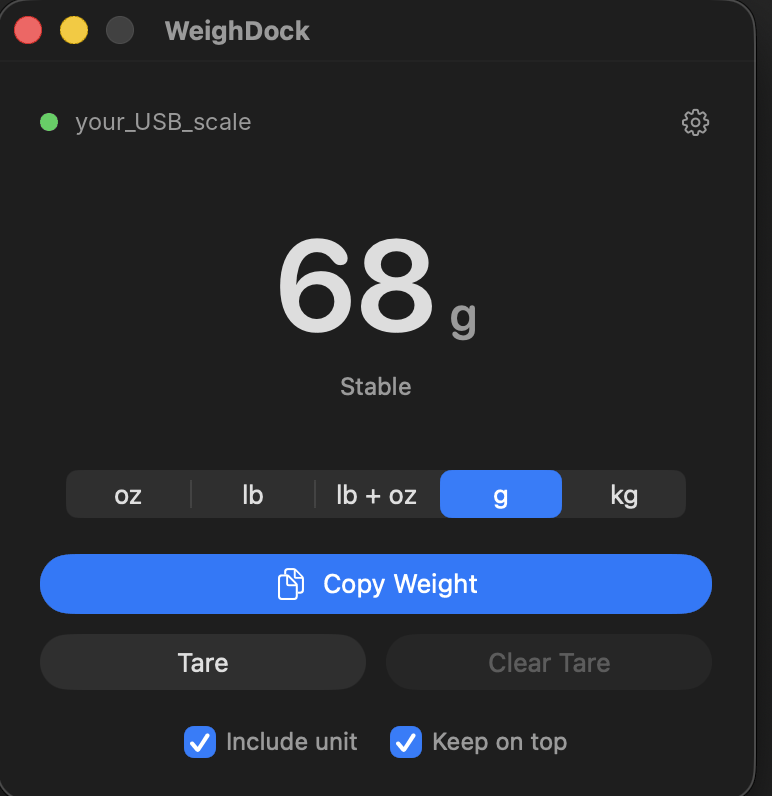
- Live weight with a settling / stable indicator
- Ounces, pounds, pounds + ounces, grams, kilograms
- Tare for boxes, mailers, and bins
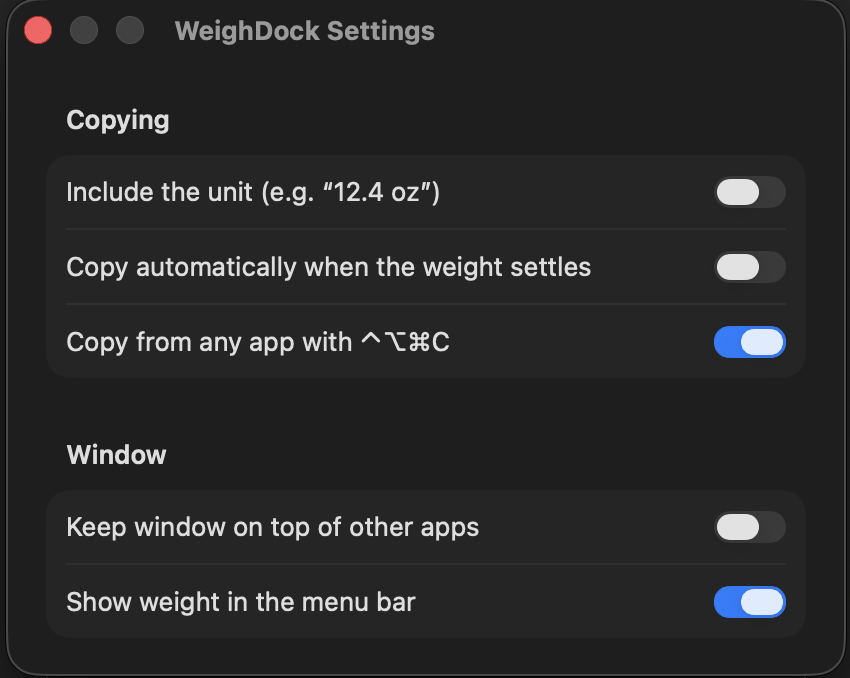
- Copy from any app with ⌃⌥⌘C, or auto-copy when the weight settles
- Live weight in the menu bar and a keep-on-top window
Support
Compatible scales
WeighDock works with USB postal scales that use the standard USB HID scale protocol, including models from Stamps.com (e.g. Model 510), DYMO (M5, M10, M25), Mettler Toledo, Fairbanks, and Elane. Requires macOS 14 Sonoma or later.
WeighDock doesn't find my scale
- Make sure the scale is turned on. Some scales don't appear over USB until they are.
- Unplug the scale and plug it back in, directly into your Mac rather than through a hub.
- Quit other apps or websites that may be using the scale at the same moment.
How do I use it with a shipping site?
Turn on Keep on top, set the unit your site expects, place the package, wait for Stable, then click the site's weight field and press ⌃⌥⌘C followed by ⌘V.
The weight shows "Below zero"
Press Clear Tare, empty the scale, and press the zero button on the scale itself.
Contact
Questions or a scale that doesn't work? Email weighdockapp@gmail.com with your scale's make and model, and I'll do my best to add support for it.
Privacy Policy
Effective November 5, 2026
WeighDock collects no data. It has no accounts, no analytics, no advertising, and makes no network connections.
- Weight readings come from your scale over USB and stay on your Mac.
- When you copy a weight, it goes only to your Mac's clipboard.
- Your settings (unit, toggles) are stored locally on your Mac.
- Nothing is sent to the developer or any third party.
If you email for support, your message is used only to answer you and is never shared or sold. Questions about this policy: weighdockapp@gmail.com.